🎯 Nuclei: From Zero to Hero (A Sarcastic Journey into Vulnerability Heaven)
Fair Warning: This guide is for people who believe that manually checking every website for vulnerabilities is totally not a waste of time. Welcome to the future, friend. 🚀
🤔 WTF is Nuclei?
"Nuclei is a fast, customizable vulnerability scanner based on YAML templates. Translation: It's like having a robot that speaks HTTP requests and finds security holes so you don't have to."
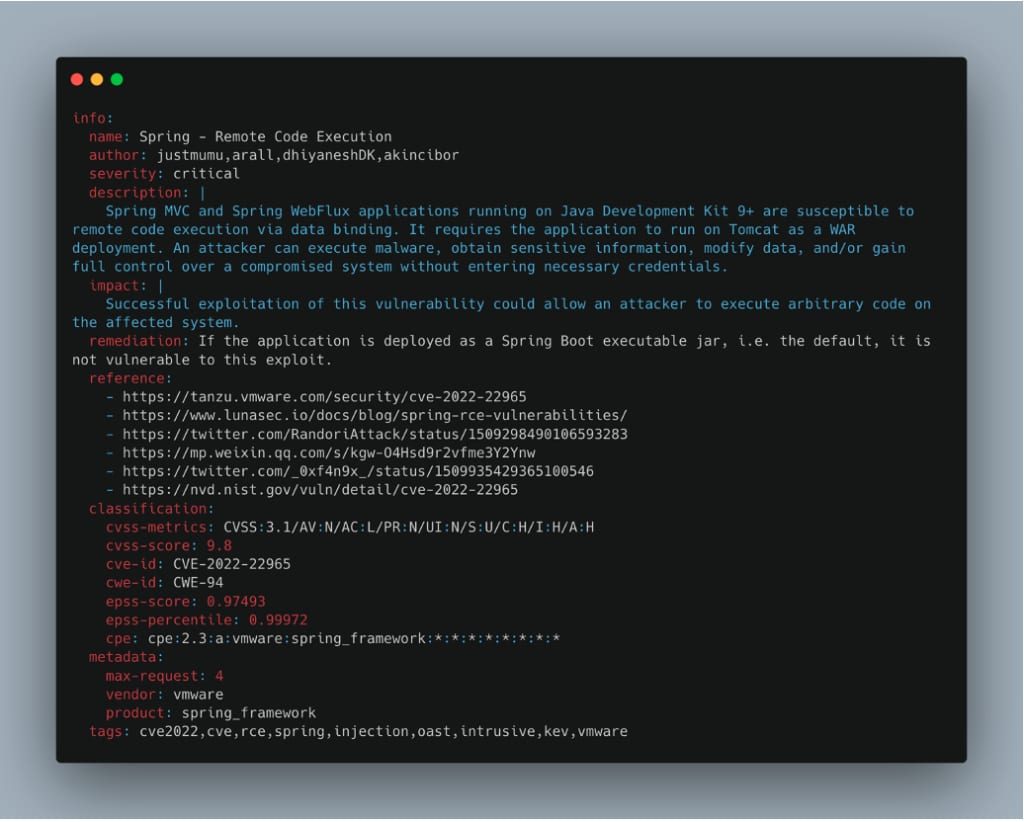
In Plain English:
- Speed: Scans faster than you can say "SQL injection" ⚡
- Flexibility: Template-based means you can customize everything
- Accuracy: Reduces false positives (finally, right?)
- Extensibility: Write templates for custom vulnerabilities
- Protocol Support: HTTP, DNS, TCP, SSL, WebSocket, and 6+ more protocols
Why Should You Care?
Traditional vulnerability scanners are bloated, slow, and produce more false positives than actual vulnerabilities. Nuclei says "nah" to that and gives you precision scanning at warp speed. Think of it as the sniper rifle of vulnerability scanning—you know exactly what you're targeting.
Interactive Note: Click if you're ready to actually install this beast, or keep reading for the juicy details.
⚙️ Installation (The Plot Thickens)
Prerequisites: The Boring But Necessary Part
Before we get to the fun stuff, you need Go installed. Yes, Go—not Python, not Node.js. Go.
Step 1️⃣: Install Go (If You Haven't Already)
# Check if Go is already installed (fingers crossed)
go version

# If not, download Go 1.21+ from https://golang.org/dl/
# For Linux lovers:
wget https://go.dev/dl/go1.21.0.linux-amd64.tar.gz
sudo tar -C /usr/local -xzf go1.21.0.linux-amd64.tar.gz

# Add Go to PATH
export PATH=$PATH:/usr/local/go/bin
# Make it permanent in ~/.bashrc or ~/.zshrc:
echo 'export PATH=$PATH:/usr/local/go/bin' >> ~/.bashrc
source ~/.bashrc
Sanity Check: After this, run
go versionand you should see something likego version go1.21.0 linux/amd64
Step 2️⃣: Install Nuclei (The Main Event)
# Method 1: The Recommended Way (Go Install)
go install -v github.com/projectdiscovery/nuclei/v3/cmd/nuclei@latest

# Method 2: Using Apt (for Kali/Debian users - lazy but effective)
sudo apt install nuclei

# Method 3: Download Binary Directly (for the impatient)
wget https://github.com/projectdiscovery/nuclei/releases/download/v3.0.0/nuclei_3.0.0_linux_amd64.zip
unzip nuclei_3.0.0_linux_amd64.zip
sudo mv nuclei /usr/local/bin/
Interactive Checkpoint: Which method did you choose? Each has its pros and cons. Go Install gives you the latest, Apt is easier, and the binary is fastest. No judgment here.
Step 3️⃣: Verify Installation (Did It Actually Work?)
nuclei -version

# Expected output: nuclei 3.x.x
# If you see this, congrats! 🎉 If not... well, StackOverflow is your friend.
Step 4️⃣: Update Templates (This is Important, Karen)
nuclei -update-templates

# Nuclei will download ~8,000+ community templates
# Go grab a coffee ☕ This takes a minute or two...
Why This Matters: Templates are the heart of Nuclei. They're constantly updated with new vulnerability checks. Think of it like antivirus definitions—outdated templates = missing vulnerabilities.
🚀 First Run (Holy Cow, It Works!)
Basic Syntax: Let's Scan Something
# Scan a single URL
nuclei -u https://example.com

# Scan a list of URLs from a file
nuclei -l urls.txt

# Scan with specific templates only
nuclei -u https://example.com -t sql-injection.yaml

# Scan and save results to JSON
nuclei -u https://example.com -o results.json

# Verbose mode (see EVERYTHING)
nuclei -u https://example.com -v

# Dry run (see what would be scanned, without actually scanning)
nuclei -u https://example.com -dry-run
Your First Real Scan
# Let's scan a real website (with permission, obviously)
nuclei -u https://testphp.vulnweb.com -o my_first_scan.json

# Watch the magic happen... 🪄
Expected Output:
                     __     _
   ____  __  _______/ /__  (_)
  / __ \/ / / / ___/ / _ \/ /
 / / / / /_/ / /__/ /  __/ /
/_/ /_/\__,_/\___/_/\___/_/   v3.0.0

    projectdiscovery.io

[INF] Running nuclei against https://testphp.vulnweb.com
[INF] Fetching templates...
[INF] Executing 8542 templates

[wordpress-xss-reflected] [http] [medium] https://testphp.vulnweb.com
[wordpress-lfi] [http] [high] https://testphp.vulnweb.com/artists.php?artist=

✓ Scan completed! Check your results.
Interactive Challenge: Try scanning a test website and compare your findings with the output. Did Nuclei catch everything you expected?
📚 Understanding Templates (The Secret Sauce)
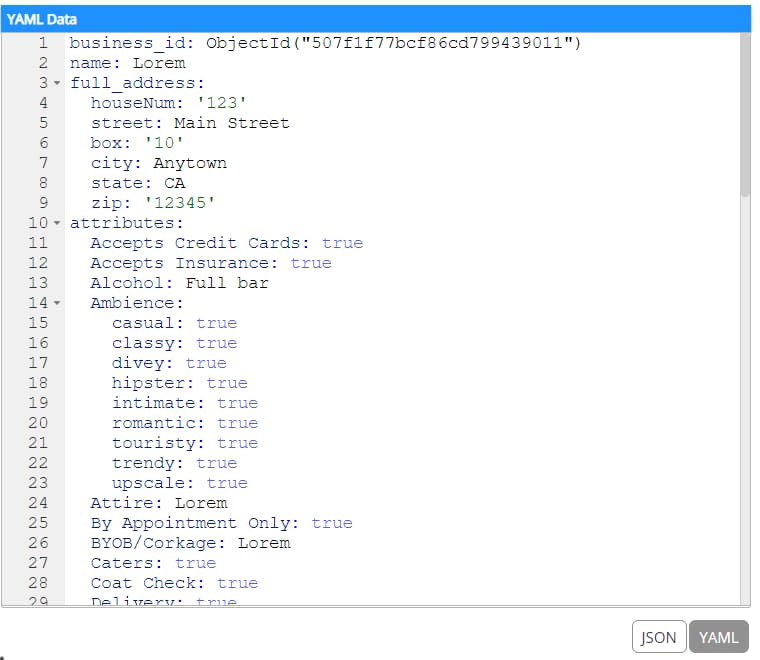
Anatomy of a Nuclei Template
Templates are written in YAML, and they're surprisingly simple. Here's a basic structure:
id: super-simple-template
info:
  name: Super Simple Vulnerability Check
  author: Your Name Here
  severity: high
  description: This template checks for a common vulnerability
  reference:
    - https://example.com/vulnerability

requests:
  - raw: |
      GET / HTTP/1.1
      Host: {{Hostname}}

    matchers:
      - type: status
        status:
          - 200
Breaking Down the Components
🔱 ID (The Unique Identifier)
id: simple-sqli-check
- Must be unique (Nuclei will yell at you if it's not)
- Use lowercase with hyphens (no spaces, you monster)
- Makes it easy to reference templates
📋 Info Block (The Metadata)
info:
  name: Simple SQL Injection Check
  author: SecurityNerd
  severity: critical  # Options: low, medium, high, critical
  description: Detects basic SQL injection vulnerabilities
  tags: sqli,injection,database
  reference:
    - https://owasp.org/www-community/attacks/SQL_Injection
    - https://portswigger.net/web-security/sql-injection
🎯 Requests Block (The Action)
requests:
  - method: GET
    path:
      - "/"
      - "/admin"
      - "/login"
    headers:
      User-Agent: Mozilla/5.0
      X-Forwarded-For: "{{BaseURL}}"
🔍 Matchers (The Magic)
These determine if a vulnerability is found:
matchers:
  # Type 1: Status Code Matching
  - type: status
    status:
      - 200
      - 201

  # Type 2: String Matching
  - type: word
    words:
      - "error"
      - "Exception"

  # Type 3: Regex Matching
  - type: regex
    regex:
      - "SQL.*Injection.*Error"

  # Type 4: DSL (Domain Specific Language) - The Powerful Stuff
  - type: dsl
    dsl:
      - "contains(body, 'admin') && status_code == 200"
Real-World Template Example
id: wordpress-admin-exposure
info:
  name: WordPress Admin Panel Detection
  author: SecurityPro
  severity: medium
  description: Detects exposed WordPress admin panel
  tags: wordpress,admin,exposure

requests:
  - method: GET
    path:
      - /wp-admin/
      - /wp-login.php

    matchers-condition: or
    matchers:
      - type: status
        status:
          - 200
          - 302

      - type: word
        words:
          - "wp-login"
          - "wordpress"
          - "wp-submit"
Interactive Learning: Open
~/.nuclei-templatesdirectory and explore existing templates. They're all open-source, so you can learn from the best!
✍️ Writing Your Own Templates (Become a Template Wizard)
Template 1️⃣: Basic Exposure Check (Beginner)
id: exposed-config-check
info:
  name: Exposed Config File
  author: YourName
  severity: high
  description: Detects commonly exposed configuration files

requests:
  - method: GET
    path:
      - /config.php
      - /config.json
      - /settings.xml
      - /.env
      - /web.config

    matchers:
      - type: word
        words:
          - "password"
          - "database"
          - "api_key"
          - "secret"
How to Use It:
# Save as: ~/.nuclei-templates/exposed-config.yaml
nuclei -u https://target.com -t exposed-config.yaml -v
Template 2️⃣: Advanced XSS Detection (Intermediate)
id: advanced-reflected-xss
info:
  name: Advanced Reflected XSS Detection
  author: YourName
  severity: high
  description: Detects reflected XSS with DSL matchers

requests:
  - method: GET
    path:
      - "/?search={{payload}}"
      - "/?q={{payload}}"
      - "/search.php?term={{payload}}"

    payloads:
      payload:
        - "<script>alert(1)</script>"
        - "'\"><script>alert(1)</script>"
        - "<img src=x onerror='alert(1)'>"

    matchers:
      - type: dsl
        dsl:
          - "contains(body, payloads) && status_code == 200"
          - "contains(body, 'alert') && contains(body, payload)"
Template 3️⃣: API Vulnerability Check (Advanced)
id: api-key-exposure
info:
  name: API Key Exposure in Responses
  author: YourName
  severity: critical
  description: Detects API keys leaking in responses

requests:
  - method: GET
    path:
      - /api/config
      - /api/status
      - /api/debug

    headers:
      Authorization: "Bearer test"

    matchers-condition: and
    matchers:
      - type: status
        status:
          - 200

      - type: regex
        regex:
          - '(sk_live|pk_live|api_key|secret_key)[-_]?[A-Za-z0-9]{20,}'
          - 'aws_access_key_id.*aws_secret_access_key'

    extractors:
      - type: regex
        name: APIKeys
        regex:
          - '(sk_live|pk_live|api_key|secret_key)[-_]?[A-Za-z0-9]{20,}'
Pro Tip: Start simple, then add complexity. Test your templates against known vulnerable apps first!
🔥 Advanced Usage (Now Things Get Spicy)
Parallel Scanning (Speed Demon Mode)
# Scan 100 targets with 50 parallel threads
nuclei -l targets.txt -c 50

# Adjust based on your system:
# -c 10 = Conservative (low resources)
# -c 50 = Balanced (recommended)
# -c 100+ = Aggressive (high resources, potential DoS)
Rate Limiting (Be Nice to Servers)
# Limit requests per second
nuclei -u https://target.com -rh 100

# Custom rate limiting
nuclei -l targets.txt -rpg 100  # Requests per second
Filter by Severity
# Only run critical and high severity templates
nuclei -u https://target.com -severity critical,high

# Exclude specific severities
nuclei -u https://target.com -severity low,medium
Filter by Tags
# Scan only for CVE-related vulnerabilities
nuclei -u https://target.com -tags cve

# Multiple tags (OR operator)
nuclei -u https://target.com -tags sqli,xss,rfi

# Exclude tags
nuclei -u https://target.com -etags info
Interactive Output Options
# JSON output (for automation)
nuclei -u https://target.com -o results.json -json

# Markdown output
nuclei -u https://target.com -o results.md

# Template display (see what will be executed)
nuclei -u https://target.com -td

# Dry run (no actual requests sent)
nuclei -u https://target.com -dry-run
Fuzzing with Nuclei (The Fun Stuff)
id: parameter-fuzzing
info:
  name: Parameter Fuzzing Check
  author: YourName
  severity: medium
  description: Fuzzes common parameters

requests:
  - method: GET
    path:
      - "/?{{param}}=test"

    payloads:
      param:
        - id
        - user
        - admin
        - search
        - q

    matchers:
      - type: status
        status:
          - 200
Use Nuclei in CI/CD Pipeline
# GitHub Actions Example
name: Security Scan
on: [push]

jobs:
  nuclei:
    runs-on: ubuntu-latest
    steps:
      - uses: actions/checkout@v2

      - name: Install Nuclei
        run: go install -v github.com/projectdiscovery/nuclei/v3/cmd/nuclei@latest

      - name: Run Nuclei Scan
        run: |
          nuclei -u ${{ secrets.TARGET_URL }} \
            -severity high,critical \
            -o results.json \
            -json

      - name: Upload Results
        uses: actions/upload-artifact@v2
        with:
          name: nuclei-results
          path: results.json
Integration with Other Tools
# Use with SubFinder for subdomain discovery
subfinder -d example.com -o subs.txt && nuclei -l subs.txt

# Use with HTTPX for live host detection
httpx -l hosts.txt -o live.txt && nuclei -l live.txt

# Use with Nuclei output in another tool
nuclei -l targets.txt -json | jq '.[]' > parsed_results.json
🐛 Troubleshooting (Murphy's Law is Real)
Issue 1️⃣: "Command Not Found"
# Problem: Nuclei binary not in PATH
# Solution 1: Add to PATH manually
export PATH=$PATH:/root/go/bin

# Solution 2: Create symlink
sudo ln -s /root/go/bin/nuclei /usr/local/bin/nuclei

# Verify:
which nuclei
Issue 2️⃣: "Templates Not Found"
# Problem: Templates directory not found
# Solution: Update templates manually
nuclei -update-templates

# Verify templates location:
ls -la ~/.nuclei-templates/

# If templates are elsewhere:
nuclei -u https://example.com -templates /path/to/templates
Issue 3️⃣: "Too Many Open Files"
# Problem: Running out of file descriptors
# Solution: Increase limit
ulimit -n 65535

# Make it permanent:
echo "ulimit -n 65535" >> ~/.bashrc
Issue 4️⃣: "SSL Certificate Verification Failed"
# Disable SSL verification (use with caution!)
nuclei -u https://self-signed.com -insecure

# Or use custom CA certificate
nuclei -u https://example.com -cacert /path/to/ca.crt
Issue 5️⃣: "False Positives Everywhere"
# Problem: Too many false positives
# Solution: Use stricter matchers

# Filter by high/critical severity only
nuclei -u https://example.com -severity critical

# Use specific templates instead of all
nuclei -u https://example.com -templates /path/to/verified/templates
Debug Mode (Last Resort)
# Enable verbose logging
nuclei -u https://example.com -v

# Enable debug logging (VERY verbose)
nuclei -u https://example.com -debug
📊 Real-World Scanning Scenarios
Scenario 1️⃣: Scan Company Infrastructure
# Create targets file
cat > company-targets.txt << EOF
https://app.company.com
https://admin.company.com
https://api.company.com
https://dev.company.com
EOF

# Run comprehensive scan
nuclei -l company-targets.txt \
  -severity high,critical \
  -c 50 \
  -o company-scan-$(date +%Y%m%d).json \
  -json
Scenario 2️⃣: Bug Bounty Hunting
# Scan target with all templates
nuclei -u https://target.com \
  -o bug-bounty-results.json \
  -json \
  -v

# Filter by exploitable vulnerabilities
nuclei -u https://target.com \
  -severity critical,high \
  -tags sqli,rfi,lfi,xss \
  -o exploitable.json
Scenario 3️⃣: Daily Automated Scans
#!/bin/bash
# Save as: daily-scan.sh

TARGETS="/path/to/targets.txt"
OUTPUT_DIR="/var/log/nuclei-scans"
DATE=$(date +%Y%m%d-%H%M%S)

nuclei -l $TARGETS \
  -severity high,critical \
  -c 50 \
  -o "$OUTPUT_DIR/scan-$DATE.json" \
  -json

echo "Scan completed: $OUTPUT_DIR/scan-$DATE.json"
🎓 Pro Tips & Tricks
Tip 1: Custom Nuclei Configuration
# Create config file
cat > ~/.nuclei/config.yaml << EOF
# Nuclei configuration
rate-limit: 100
timeout: 10
retries: 1
output: json
severity: high,critical
EOF

# Use config
nuclei -config ~/.nuclei/config.yaml -u https://target.com
Tip 2: Create Reusable Template Collections
# Organize templates by category
mkdir -p ~/.nuclei-templates/{custom,verified,experimental}

# Store in version control
git init ~/.nuclei-templates
git add .
git commit -m "Initial template collection"
Tip 3: Parse and Analyze Results
# Extract only critical findings
jq '.[] | select(.info.severity=="critical")' results.json

# Group by severity
jq 'group_by(.info.severity)' results.json

# Count vulnerabilities by type
jq '.[] | .info.name' results.json | sort | uniq -c
Tip 4: Monitor Nuclei Execution
# Real-time monitoring
watch -n 1 'ps aux | grep nuclei'

# Log to file with timestamp
nuclei -u https://target.com -v 2>&1 | tee -a nuclei-$(date +%Y%m%d).log
🎯 Conclusion: You Made It!
Congratulations! 🎉 You've gone from "What is Nuclei?" to scanning production systems like a pro.
Key Takeaways: - ✅ Nuclei is fast, flexible, and incredibly powerful - ✅ Templates are the key to success - ✅ Start simple, then get complex - ✅ Always respect scope and permissions - ✅ Automate, but verify results manually
Next Steps: 1. Write your own templates 2. Contribute to the community 3. Integrate into your CI/CD 4. Become a Nuclei master 🧙
📚 Resources & References
- Official Nuclei Documentation: https://nuclei.projectdiscovery.io/
- GitHub Repository: https://github.com/projectdiscovery/nuclei
- Template Repository: https://github.com/projectdiscovery/nuclei-templates
- Community Discussions: https://github.com/projectdiscovery/nuclei/discussions
- Bug Reports: https://github.com/projectdiscovery/nuclei/issues
⚖️ Legal Notice
IMPORTANT: Only scan systems you own or have explicit written permission to scan. Unauthorized scanning is illegal in most jurisdictions and can result in serious legal consequences. Be responsible. Be ethical. 🛡️
Happy Scanning! 🚀
Last Updated: 2025 Version: 1.0